In testing · invitation only
A coach that watches the match with you and speaks at the right moment.
For Age of Empires IV: a plan made for today's opponents, reminders while you play, and a summary at the end. All by voice, while you play.
Free while we test, for invited players. No invitation yet? Sign in with Google and ask for one.
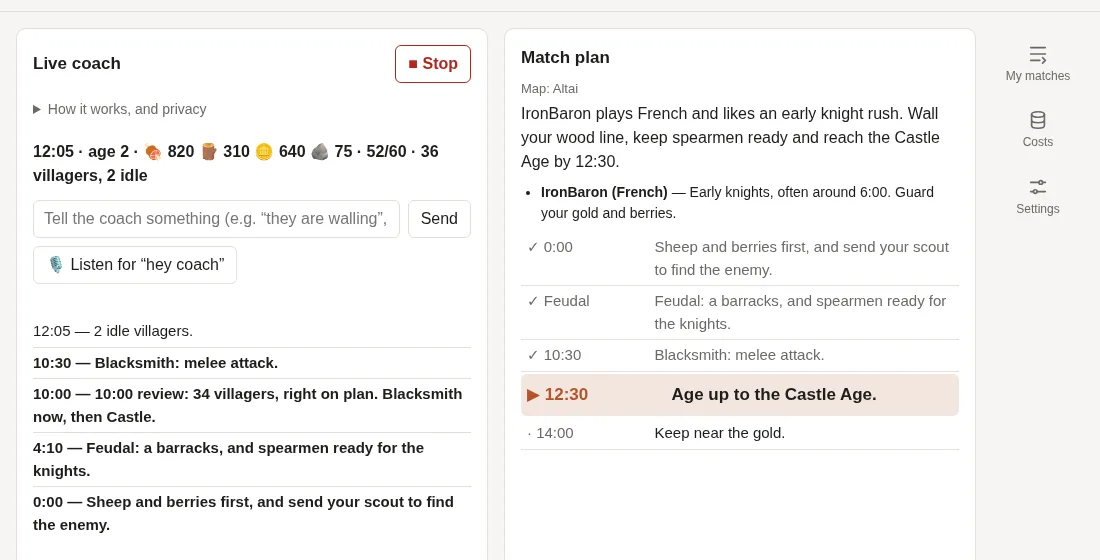
- ✓ 10:30 Blacksmith: melee attack
- ▶ 12:30 Age up to the Castle Age
- · 14:00 Keep near the gold
- Coach Time to age up to the Castle Age.
- You “hey coach, they're coming with cavalry”
- Coach Got it: spearmen from both barracks. I've changed the plan.
See it coach a real match
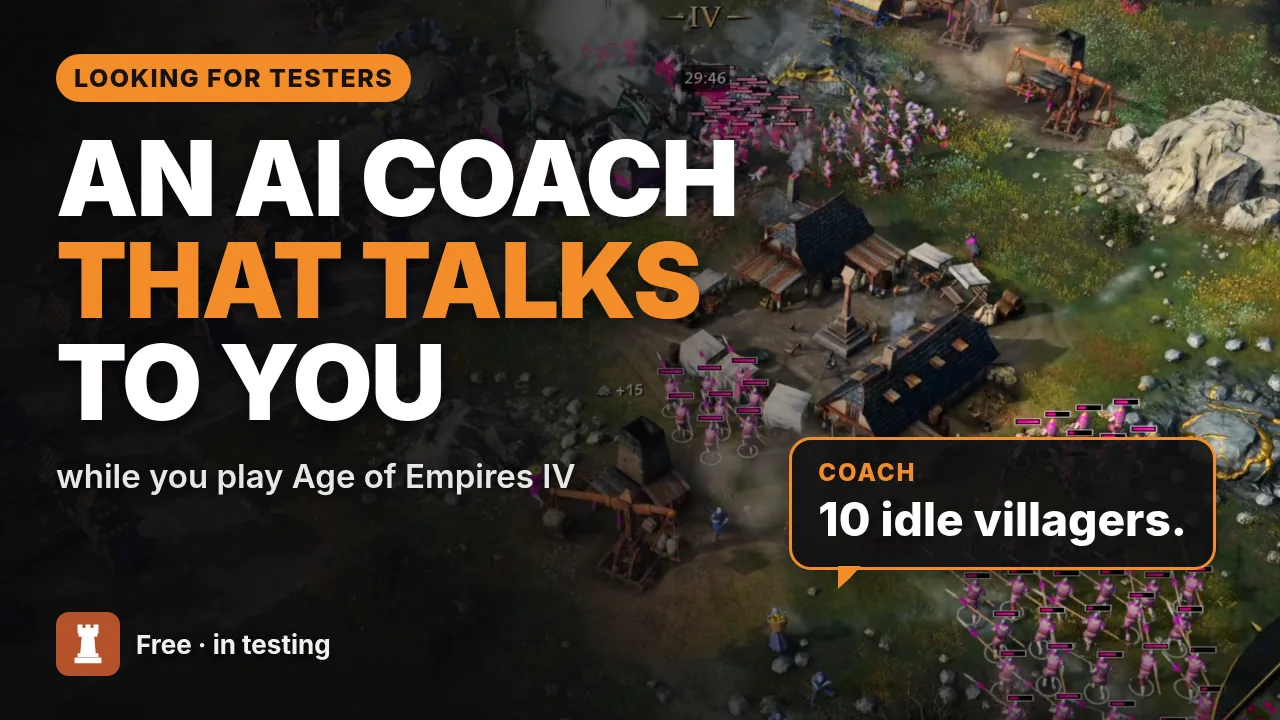 Play the video (YouTube)
A minute and a half of a real 2v2 Quick Match, coached from the loading screen to the summary (it was a loss). The video loads from YouTube only when you press play.
How it works
-
Before the match
On the loading screen, the coach reads the map, the players and their civilizations. It looks at how each opponent and ally played their last matches, from the game's official statistics, and builds a plan for you. The plan is usually ready before the match begins.
-
During the match
It reads the HUD on your screen (resources, villagers, population, age) and says each step of the plan at the right moment. It warns you about idle villagers, houses and an idle town center, and every 5 minutes it reviews how you're doing.
To talk to it, say “hey coach” and what you see, or type it. It answers and adjusts the plan. It works alongside Discord and in-game voice chat.
-
After the match
A summary from the match's official statistics: what went well, what to fix next time, and how the plan held up. Then it asks you to score it from 0 to 10, and every score is looked at.
What you need
- Age of Empires IV on PC, in borderless or windowed fullscreen (not exclusive fullscreen), ideally at 1920×1080. Streaming works too, with Moonlight or GeForce NOW.
- Chrome or Edge on the computer, open next to the game: in another window or on a second monitor. Without one, your phone next to the keyboard shows the next step and what the coach says, and can speak and listen instead of the computer.
- A headset, so the microphone doesn't hear the coach itself.
- The Google account the invitation went to. The coach speaks English, Portuguese, Spanish, French, German, Italian, Polish, Japanese and Chinese: pick yours at the top of the page.
How to use it: from lobby to victory
Five short quests, like a campaign tutorial. The reward: a coach in your ear for the whole match.
-
Quest 1
Set up camp
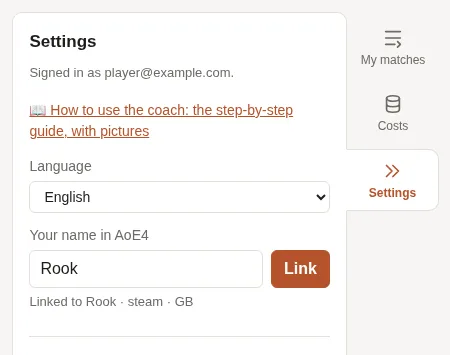
Sign in with Google and open Settings. Pick your Language, type Your name in AoE4 and click Link: that's how the coach finds your matches and your opponents'.
Without your name, I'm playing in the dark. And in the dark, it's Dark Age forever.
-
Quest 2
Summon the coach
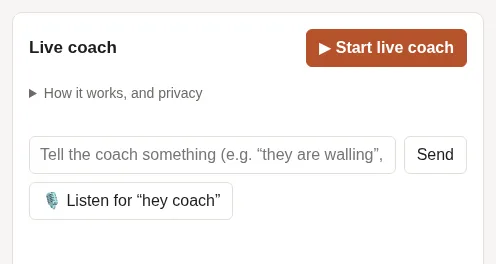
On the gaming PC, open the coach in Chrome or Edge and click ▶ Start live coach before the match loads. In the share dialog, pick the Age of Empires IV window. Keep the tab open, ideally in its own window or on another monitor.
Off you go to the lobby. I'll keep an eye out for the loading screen.
-
Quest 3
You play, I talk
On the loading screen, the coach reads the map and your opponents and makes the plan. During the match, it says each step at the right moment and warns you about idle villagers. To talk to it, say “hey coach” and what you see, or type in the text box. When it asks you something, just answer.
Psst: 2 idle villagers. I won't tell anyone.
-
Quest 4
Recruit your phone
No second monitor? Open this site on your phone, with the same account, and keep it next to the keyboard: it shows the next step and everything the coach says.
Tap 🔊 Move the voice and sound to this phone: the coach speaks from there, and the computer goes quiet. To talk to it, tap 🎤 Talk to the coach and say one sentence, no “hey coach” needed. Want your hands free? Tick Also listen for “hey coach” all the time.
To switch back, tap Give the voice back to the computer. If the phone locks or closes the page, the voice goes back by itself.
- Like an app, full screen: in the browser's menu, tap “Add to Home screen” (on iPhone, in Share). Or tap ⛶ at the top of the page.
- Your phone doesn't get your voice? In Settings, tick the browser's online recognition.
Promoted: I'm a pocket coach now.
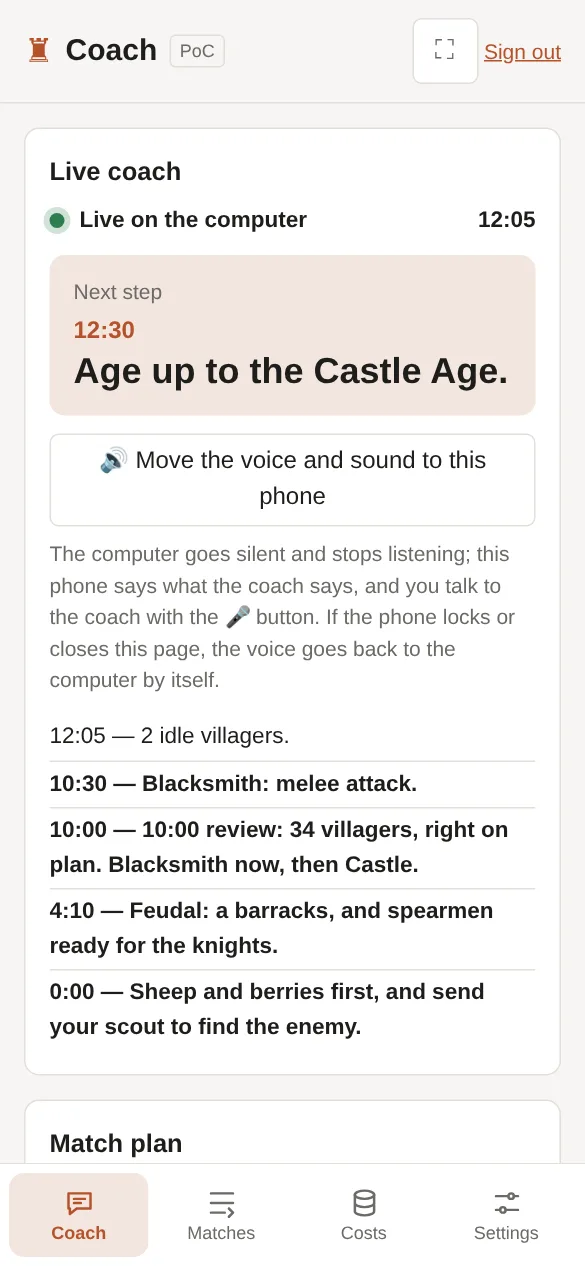
Next to the keyboard 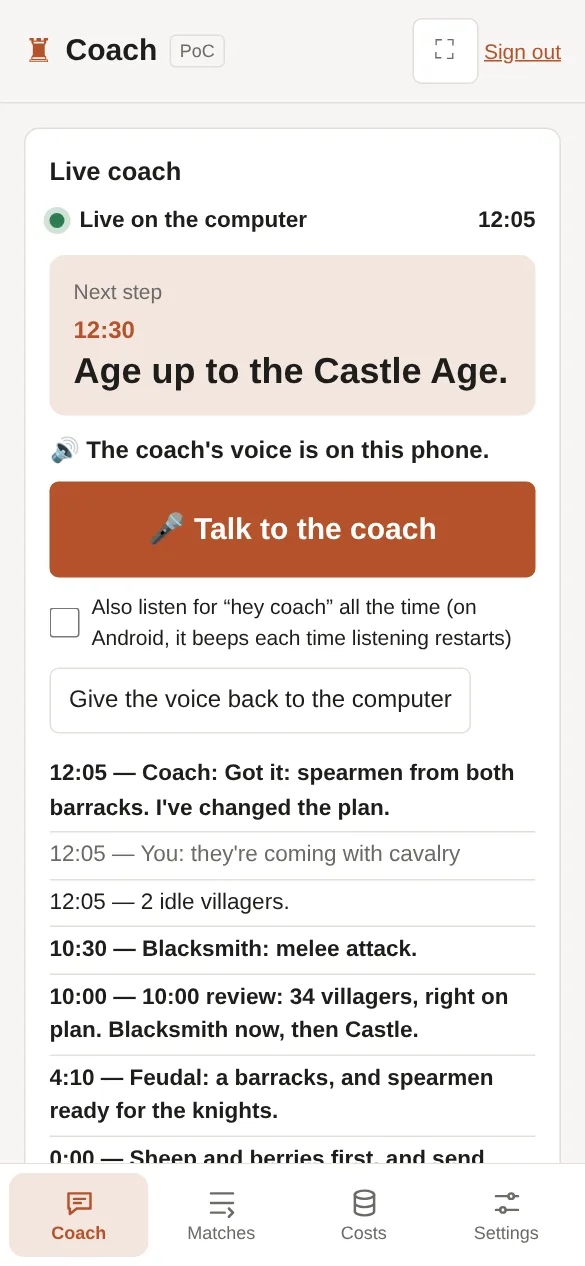
With the voice on the phone -
Final quest
Rate your coach
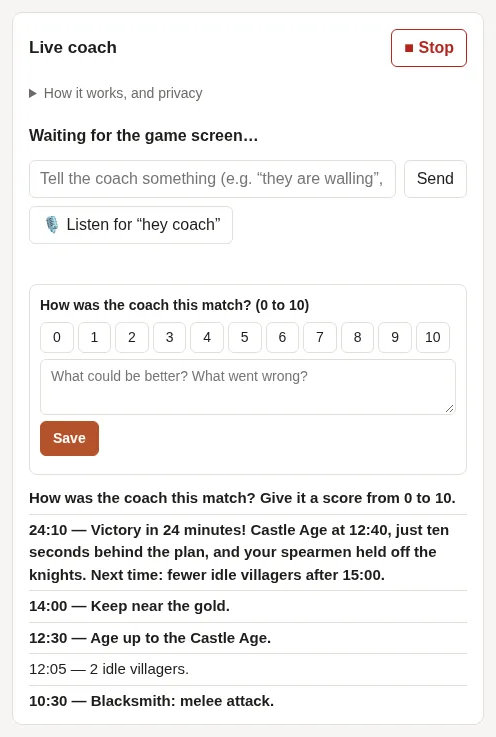
At the end, the coach says the match is over and gives a summary from the official statistics. Then it asks for a score from 0 to 10: answer out loud and say what could be better, or use the form on the page. Every score is read, and that's how the coach gets better.
Be honest. I can take it: I'm tougher than a stone wall.
Safe to play with
The coach only looks at your screen, like someone watching your Discord screen share. It never clicks, never presses keys and doesn't read the game's memory. Nothing is installed either: it runs in the browser. It doesn't play for you: you decide, and you play.
Your privacy
Everything that leaves your computer while the coach is on. While we test, we keep it to find and fix the coach's mistakes.
| What | When | Where to | Kept for |
|---|---|---|---|
| The HUD numbers (resources, villagers, population, age) | Once a second | Our server | 30 days, a summary every 30 to 60 seconds |
| A small picture of the game window (640×360) | Between matches, when the screen changes (up to 40 an hour), to spot the loading screen | Our server and the AI | 14 days |
| The loading screen and the frames before the match | Once per match | Our server and the AI | 14 days |
| A crop of the player list | At the start of the match and every 5 minutes | Our server and the AI | 14 days |
| A crop of the minimap | Every 5 minutes of play | Our server and the AI | 14 days |
| A picture of the game screen | A minute into the match, then every 5 minutes | Our server only | 14 days |
| A small crop of the production icons (bottom left) | Every 20 seconds, only in the first matches with a civilization the coach doesn't know yet, to learn its villager icon | Our server only | 14 days; the icon learned, without the picture, stays for every player |
| A small picture of a still screen (640×360) | When the game holds still, to see whether the match is over | Our server and the AI | 14 days |
| What you say to the coach after “hey coach”, or type to it | When you talk to it | Our server and the AI | 30 days |
| The mastery task you're on (if you turned masteries on) | Once per match, before the plan | Our server and the AI | While you use the coach, per civilization, so next time it only asks you to confirm |
- The AI is Anthropic's Claude.
- Audio never leaves your computer. Your voice is recognized by the browser, on your PC. Only if you choose online recognition does the audio go to Google (in Chrome) or Microsoft (in Edge).
- Your account: your e-mail, the in-game name you link, your settings, the mastery task you're on and your scores for the coach are kept while you use the coach. Match history and statistics come from the game's official servers.
- Visits to this page are counted by Cloudflare Web Analytics (country, where you came from, device), with no cookies and without identifying you. The coach itself isn't counted.
- The video on this page comes from YouTube (Google) and loads only when you press play; until then, nothing is fetched from YouTube.
- To have your data deleted, reply to the welcome e-mail that came with your invitation. If you only asked for an invitation, you can cancel the request by signing in with Google again.
Access by invitation
The coach is being tested with a small group of players. Got an invitation? Sign in with the Google account it was sent to. Don't have one yet? Sign in with Google and ask for one: you'll get an e-mail when a place opens up.